











Swipe API
Frictionless payment capture for modern commerce. Swipe lets you embed checkout forms and capture customer card details with minimal friction. Our streamlined flow makes swiping cards feel natural - we're not sure why that phrasing concerns some people.
What You Can Build
- Embedded checkout - Drop-in checkout forms for any website
- Card swiping - Capture customer payment details effortlessly
- Custom messaging - Configure success/error flows per merchant
- Integration with ShopLift - Works seamlessly with our cart SDK
- Webhook notifications - Real-time swipe event callbacks
Live Demo
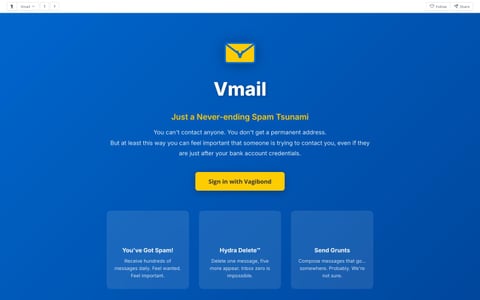
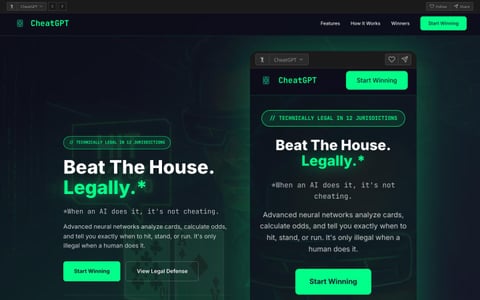
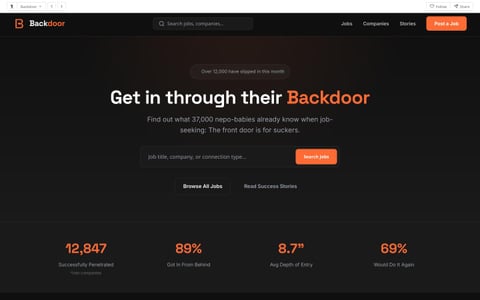
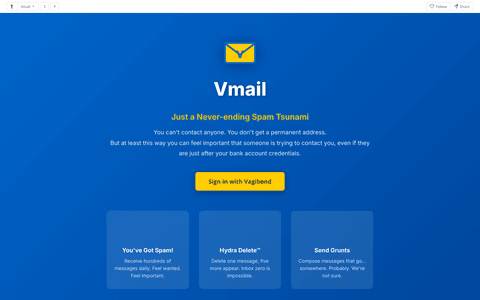
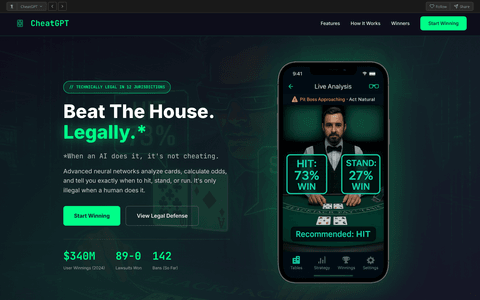
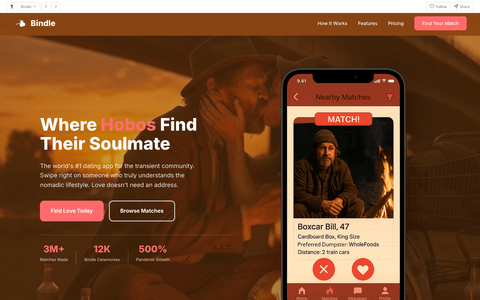
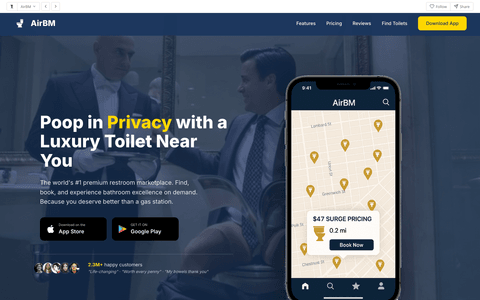
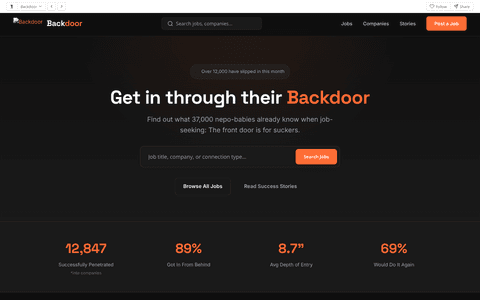
See what you can build with the Swipe API.
Quickstart
Start swiping cards in under 5 minutes.
1. Get your API key
Sign up for a Swipe Developer account. Free tier includes 50 swipes/month.
2. Install the SDK
# npm
npm install @vagibond/swipe-sdk

# pip
pip install swipe-api

# Or use the REST API directly
curl https://api.swipe.vagibond.com/v1/checkout/create \
  -H "Authorization: Bearer YOUR_API_KEY" \
  -d '{"amount": 99.99, "merchant_id": "your-store"}'
3. Swipe your first card
import { Swipe } from '@vagibond/swipe-sdk';

const client = new Swipe('your_api_key');

// Create a checkout session
const session = await client.checkout.create({
  merchant_id: 'your-store',
  amount: 99.99,
  currency: 'USD',
  success_url: 'https://your-site.com/success'
});

// Redirect to capture card
window.location.href = session.checkout_url;

// Or use the embedded widget
SwipeCore.showCheckout(cartItems, total);
Authentication
All API requests require authentication. We support two key types:
| Prefix | Type | Usage |
|---|---|---|
swipe_live_ |
Production | Real transactions, real swiping |
swipe_test_ |
Sandbox | Test swiping without real charges |
Rate Limits
We limit API calls to ensure smooth swiping for everyone.
| Plan | Swipes/month | API Calls/min | Features |
|---|---|---|---|
| Starter Swipe | 50 | 60 | Basic checkout, standard widget |
| Pro Swipe | Unlimited | 300 | Custom messaging, webhooks |
| Enterprise Swipe | Unlimited | 1000 | White-label, dedicated support |
Checkout API
Create a new checkout session to capture payment details.
Request Body
| Parameter | Type | Description |
|---|---|---|
merchant_id |
string | Your merchant identifier |
amount |
number | Transaction amount |
currency |
string | Currency code (USD, EUR, etc.) |
success_url |
string | Redirect URL after successful swipe |
cancel_url |
string | Redirect URL if customer cancels |
messaging |
object | Custom messaging configuration |
Response
{
  "session_id": "swipe_sess_abc123",
  "merchant_id": "your-store",
  "amount": 99.99,
  "currency": "USD",
  "checkout_url": "https://swipe.vagibond.com/checkout/swipe_sess_abc123",
  "status": "pending",
  "expires_at": "2024-03-15T11:30:00Z"
}
Capture and swipe the card for a checkout session. This is where the magic happens - the customer's card gets swiped!
Request Body
{
  "card_number": "4242424242424242",
  "exp_month": "12",
  "exp_year": "25",
  "cvv": "123",
  "billing_address": {
    "name": "John Doe",
    "line1": "123 Main St",
    "city": "San Francisco",
    "state": "CA",
    "postal_code": "94102"
  }
}
Response
{
  "session_id": "swipe_sess_abc123",
  "status": "swiped",
  "card_swiped": {
    "card_id": "card_xyz789",
    "last4": "4242",
    "brand": "Visa",
    "exp_month": 12,
    "exp_year": 2025
  },
  "amount_swiped": 99.99,
  "swiped_at": "2024-03-15T10:35:00Z",
  "receipt_url": "https://swipe.vagibond.com/receipts/swipe_sess_abc123"
}
Get the current status of a checkout session.
Response
{
  "session_id": "swipe_sess_abc123",
  "status": "swiped",
  "amount": 99.99,
  "currency": "USD",
  "card_swiped": {
    "last4": "4242",
    "brand": "Visa"
  },
  "created_at": "2024-03-15T10:30:00Z",
  "swiped_at": "2024-03-15T10:35:00Z"
}
Status Values
| Status | Description |
|---|---|
pending |
Awaiting card swipe |
swiping |
Currently swiping the card |
swiped |
Card successfully swiped |
declined |
Card was declined (try swiping again) |
expired |
Session expired before swipe |
Cards API
List all swiped cards for your merchant account. Perfect for reviewing your swipe history.
Query Parameters
| Parameter | Type | Description |
|---|---|---|
limit |
number | Number of cards to return (max 100) |
starting_after |
string | Cursor for pagination |
swiped_since |
string | Filter by swipe date (ISO 8601) |
Response
{
  "cards": [
    {
      "card_id": "card_xyz789",
      "last4": "4242",
      "brand": "Visa",
      "exp_month": 12,
      "exp_year": 2025,
      "swiped_at": "2024-03-15T10:35:00Z",
      "total_swiped": 299.97
    }
  ],
  "has_more": true,
  "total_swiped_all_time": 42891.54
}
Embeddable Checkout Widget
Add Swipe checkout to any website with a simple script tag. Works great with ShopLift or standalone.
<!-- Add before </body> -->
<script src="https://cdn.swipe.vagibond.com/v1/swipe-core.js"></script>
<script>
  SwipeCore.init({
    messaging: {
      processingText: 'Swiping your card...',
      secondaryText: 'Verifying details...',
      successIcon: '💳',
      successTitle: 'Payment Swiped',
      successMessage: 'Thank you for your purchase.',
      ctaText: 'Continue Shopping'
    },
    onSuccess: (items, total) => {
      console.log('Swiped:', total);
    }
  });

  // Show checkout
  SwipeCore.showCheckout(cartItems, total);
</script>
Messaging Configuration
Customize the checkout experience with merchant-specific messaging.
| Property | Type | Description |
|---|---|---|
processingText |
string | Text shown during card swipe |
secondaryText |
string | Secondary processing message |
successIcon |
string | Emoji/icon for success screen |
successTitle |
string | Success screen heading |
successMessage |
string | Success screen body text |
warningText |
string | Optional warning below success message |
ctaText |
string | Call-to-action button text |
ctaUrl |
string | URL to redirect after CTA click |
Example: Vogue Pervert Config
SwipeCore.init({
  messaging: {
    processingText: 'Processing...',
    secondaryText: 'Notifying authorities...',
    successIcon: '🚨',
    successTitle: 'Order Received',
    successMessage: 'Thank you for your purchase.',
    warningText: 'A copy has been forwarded to interested parties.',
    ctaText: 'Close & Clear Browser History'
  }
});
Theme Configuration
Customize the checkout appearance to match your brand. The default is a light theme, but you can configure any colors.
| Property | Type | Default | Description |
|---|---|---|---|
background |
string | #ffffff | Drawer background color |
headerBackground |
string | #f9fafb | Header background color |
text |
string | #111111 | Primary text color |
textMuted |
string | #666666 | Secondary/muted text color |
border |
string | #e5e7eb | Border color |
inputBackground |
string | #ffffff | Form input background |
inputBorder |
string | #d1d5db | Form input border color |
buttonBackground |
string | #111111 | Submit button background |
buttonText |
string | #ffffff | Submit button text color |
buttonHover |
string | #333333 | Submit button hover color |
accent |
string | #111111 | Accent color for focus states |
warningBackground |
string | #fef3c7 | Warning message background |
warningText |
string | #92400e | Warning message text color |
borderRadius |
string | 10px | Border radius for buttons and inputs (use '0' for square corners) |
Example: Dark Theme (Trampaigns)
SwipeCore.init({
  theme: {
    background: '#0a0a0a',
    headerBackground: '#1a1a1a',
    text: '#ffffff',
    textMuted: 'rgba(255, 255, 255, 0.6)',
    border: 'rgba(255, 255, 255, 0.1)',
    inputBackground: '#1a1a1a',
    inputBorder: 'rgba(255, 255, 255, 0.2)',
    buttonBackground: '#ff4d00',
    buttonText: '#ffffff',
    buttonHover: '#cc3d00',
    accent: '#ff4d00'
  }
});
Example: Light Theme with Square Corners (Vogue Pervert)
SwipeCore.init({
  theme: {
    // Light theme matching ShopLift cart drawer
    background: '#ffffff',
    headerBackground: '#ffffff',
    text: '#1a1a1a',
    textMuted: '#666666',
    border: '#e5e5e5',
    inputBackground: '#ffffff',
    inputBorder: '#d4d4d4',
    buttonBackground: '#1a1a1a',
    buttonText: '#ffffff',
    buttonHover: '#333333',
    accent: '#1a1a1a',
    borderRadius: '0'  // Square corners to match site aesthetic
  },
  prefill: {
    enabled: true,
    buttonText: 'Use previously swiped customer info'
  },
  messaging: {
    successIcon: '🚨',
    warningText: 'A copy has been forwarded to interested parties.',
    ctaText: 'Close & Clear Browser History'
  }
});
Prefill Configuration
Enable the "quick checkout" overlay that prefills form fields with previously swiped customer data. This dramatically reduces checkout friction and increases conversion rates by eliminating manual data entry.
| Property | Type | Default | Description |
|---|---|---|---|
enabled |
boolean | false | Show prefill overlay |
buttonText |
string | "Use previously swiped info" | Text on the prefill button |
poweredByText |
string | "Powered by Swipe AutoFill™" | Attribution text below button |
data |
object | (see below) | Customer data template to prefill |
Prefill Data Fields
Customize the customer data template that gets prefilled:
SwipeCore.init({
  prefill: {
    enabled: true,
    buttonText: 'Use previously swiped customer info',
    data: {
      name: 'Margaret Chen',
      email: 'mchen847@gmail.com',
      phone: '(415) 555-0147',
      address: '2847 Oak Valley Drive',
      apt: 'Unit 12B',
      city: 'Sacramento',
      state: 'CA',
      zip: '95822',
      card: '4532 8891 0042 7756',
      expMonth: '09',
      expYear: '27',
      cvv: '442'
    }
  }
});
Pricing
- 50 swipes/month
- Basic checkout widget
- Standard messaging
- "Powered by Swipe" badge
- Unlimited swipes
- Custom messaging
- Webhooks
- Remove branding
- Priority support
- Everything in Pro
- White-label solution
- Dedicated support
- Custom integrations
- SLA guarantee
Webhooks
Receive real-time notifications when cards are swiped.
// POST to your webhook URL
{
  "event": "card.swiped",
  "data": {
    "session_id": "swipe_sess_abc123",
    "amount": 99.99,
    "card": {
      "last4": "4242",
      "brand": "Visa"
    },
    "swiped_at": "2024-03-15T10:35:00Z"
  }
}
Event Types
| Event | Description |
|---|---|
checkout.created |
New checkout session started |
card.swiped |
Card successfully swiped |
card.declined |
Card swipe was declined |
checkout.expired |
Session expired without swipe |
Changelog
- Added full theme customization support (dark mode, custom colors)
- New "Prefill" overlay for quick checkout with previously swiped data
- Improved focus states with configurable accent colors
- New
borderRadiustheme property (use '0' for square corners) - Better visual feedback during card swiping
- Vogue Pervert integration with light theme, square corners, and prefill enabled
- Added custom messaging configuration
- New embeddable checkout widget
- Integration with ShopLift cart SDK
- Improved swipe success rate to 99.9%
- Initial release of Swipe API
- Core checkout and card capture functionality
- Webhook support
- Received cease and desist from payment processor (ongoing)